window上清理python的安装
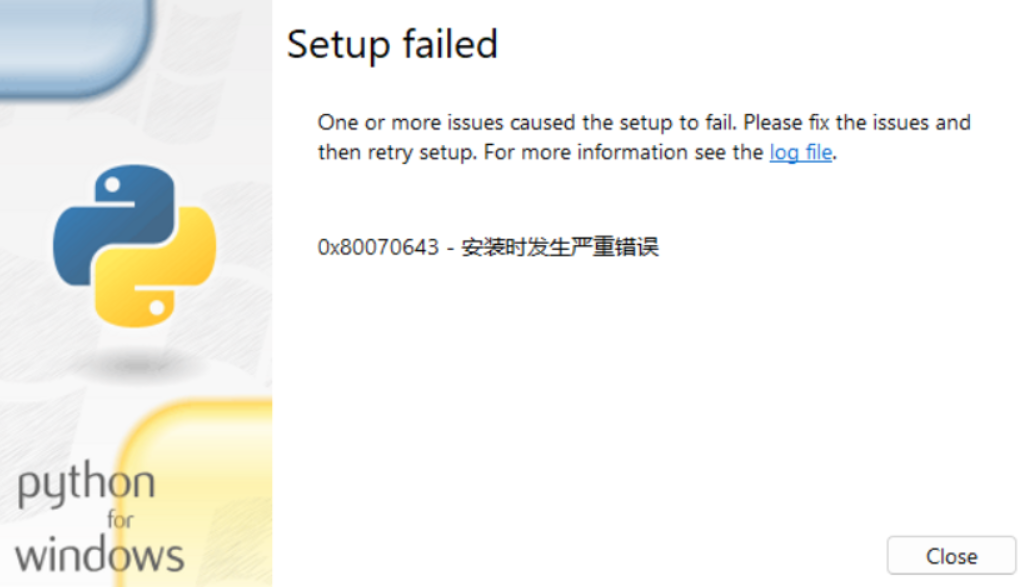
Clean-Python.ps1脚本文件将文件放在桌面
Write-Host "=== Python Cleanup Tool ===" -ForegroundColor Cyan

# 1. Remove Python registry keys
$regPaths = @(
    "HKCU:\Software\Python",
    "HKLM:\SOFTWARE\Python",
    "HKLM:\SOFTWARE\WOW6432Node\Python"
)

foreach ($regPath in $regPaths) {
    if (Test-Path $regPath) {
        Remove-Item -Path $regPath -Recurse -Force -ErrorAction SilentlyContinue
        Write-Host "Removed registry: $regPath"
    }
}

# 2. Remove Installer leftovers
$installerPaths = @(
    "HKCU:\Software\Microsoft\Installer\Products",
    "HKLM:\SOFTWARE\Microsoft\Installer\Products",
    "HKLM:\SOFTWARE\WOW6432Node\Microsoft\Installer\Products"
)

foreach ($p in $installerPaths) {
    if (Test-Path $p) {
        Get-ChildItem $p | ForEach-Object {
            $props = Get-ItemProperty $_.PSPath -ErrorAction SilentlyContinue
            if ($props.ProductName -like "*Python*") {
                Write-Host "Removing leftover installer entry: $($props.ProductName)"
                Remove-Item -Path $_.PSPath -Recurse -Force -ErrorAction SilentlyContinue
            }
        }
    }
}

# 3. Remove leftover folders/files
$folders = @(
    "$env:LOCALAPPDATA\Programs\Python",
    "$env:LOCALAPPDATA\Microsoft\WindowsApps\python.exe",
    "$env:LOCALAPPDATA\Microsoft\WindowsApps\python3.exe",
    "C:\Program Files\Python",
    "C:\Program Files\Python*",
    "C:\Users\Public\Desktop\Python*"
)

foreach ($f in $folders) {
    if (Test-Path $f) {
        Remove-Item -Path $f -Recurse -Force -ErrorAction SilentlyContinue
        Write-Host "Removed: $f"
    }
}

# 4. Clean PATH environment variables
$envRegPaths = @(
    "HKCU:\Environment",
    "HKLM:\SYSTEM\CurrentControlSet\Control\Session Manager\Environment"
)

foreach ($envPath in $envRegPaths) {
    if (Test-Path $envPath) {
        $envVars = Get-ItemProperty $envPath -ErrorAction SilentlyContinue
        if ($envVars.Path -match "Python") {
            $newPath = ($envVars.Path -split ";") | Where-Object {$_ -notmatch "Python"} -join ";"
            Set-ItemProperty -Path $envPath -Name Path -Value $newPath
            Write-Host "Cleaned Python from PATH in $envPath"
        }
    }
}

Write-Host "`n=== Cleanup finished. Please restart your computer before reinstalling Python. ===" -ForegroundColor Cyan
打开终端管理员
Set-ExecutionPolicy Bypass -Scope Process -Force

.\Clean-Python.ps1
作者:admin 创建时间:2025-10-20 18:00
最后编辑:admin 更新时间:2025-10-30 15:57
最后编辑:admin 更新时间:2025-10-30 15:57